
TeraBox Supports Synology NAS Training for the Ho Chi Minh City People’s Procuracy

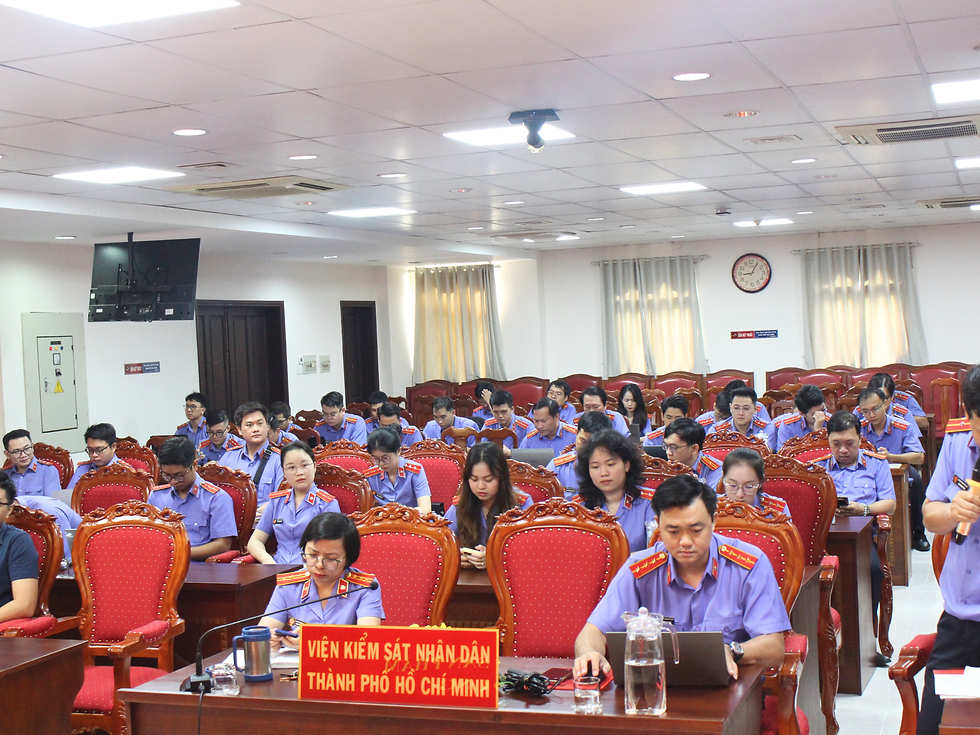
The training program on storage devices, cryptographic products, and application software at the Ho Chi Minh City People’s Procuracy.
TeraBox was pleased to accompany the Ho Chi Minh City People’s Procuracy during the training program on “Using Storage Devices, Deploying Cryptographic Products, and Application Software.”
Within the program, the TeraBox technical team contributed a practical training session on the installation, administration, and day-to-day use of Synology Network Attached Storage, or NAS.
The session was designed to help both system administrators and end users become familiar with the essential procedures required to operate the storage system, access shared data, and respond to common technical situations.
Practical Guidance on NAS Device Operation

Participants followed the training content and completed practical activities on their computers.
The first part of the session introduced the key components of the Synology NAS device, including the status indicator, power button, network port, and power connection.
Participants were guided through the correct startup and shutdown procedures, as well as the basic steps for accessing Synology DiskStation Manager through a web browser.
The training also explained how users should respond when the device displays an abnormal status indicator. Rather than attempting repeated restarts or disconnecting the power source, users were advised to contact the designated technical support team for further assistance.
System Configuration for Administrators
For system administrators, the training covered several fundamental configuration tasks:
Setting the NAS IP address and subnet mask according to the local network.
Creating individual user accounts.
Assigning users to the appropriate departmental groups.
Creating shared folders and enabling the Recycle Bin.
Applying suitable access permissions to each folder.
Three permission levels were introduced: No Access, Read Only, and Read/Write. Administrators were encouraged to assign permissions based on each user’s responsibilities and operational requirements.
These configurations help organizations maintain a more structured approach to account management and shared data access.
Daily Use for End Users
The end-user section focused on the tasks participants are most likely to perform in their daily work.
Users were shown how to log in to the NAS system with the account provided by their administrator and how to change the initial password during the first login.
The TeraBox team also demonstrated how to map an authorized shared folder as a network drive in Windows. Once connected, the NAS folder can be accessed directly through “This PC,” allowing users to work with shared files without opening the administration interface each time.
Participants were reminded to enable the automatic reconnection option so that the network drive remains available after restarting or signing back into the computer.
Common Issues and Support Guidance

A TeraBox technical specialist provides direct support to a participant during the hands-on session.
The session also addressed several common situations, including:
Being unable to access the NAS login page.
Losing a mapped network drive after restarting the computer.
Being unable to open a shared folder due to missing permissions.
Receiving an abnormal device status notification.
For each situation, participants received basic checking instructions and guidance on when to contact the administrator or technical support team.
Supporting Effective Technology Adoption
Technology deployment does not end when a device is installed. Clear operating procedures, appropriate access controls, and practical user guidance are also important for maintaining consistent day-to-day operations.
Through this training session, TeraBox supported participants in developing a practical understanding of Synology NAS operation, account access, shared folder management, and network drive usage.
TeraBox remains committed to supporting organizations in deploying, operating, and adopting reliable IT infrastructure solutions. To learn more about our technology consulting, cloud infrastructure, backup, and managed IT services, explore TeraBox’s solutions and services.
Comments